Skip to Content

Logitech G Saitek Pro Flight Radio Panel

https://www.roctexo.com/web/image/product.template/127362/image_1920?unique=d31cb4a
Part numbers : RX1-14-00969 , 945-000029 , 14-00969
Unit of Measure: EA

158.42 EUR / EA 158.42 EUR 158.42 € excl. VAT

158.42 EUR / EA excl. VAT

Not Available For Sale

This combination does not exist.

Availability
Up to 2 EA ready to ship on Thursday 2026-07-30
Order before 16:00 CET Today
Up to 4 EA ready to ship on Monday 2026-08-03
Order before 16:00 CET Today
3 EA available on request, fees apply
Special order from vendor stock.

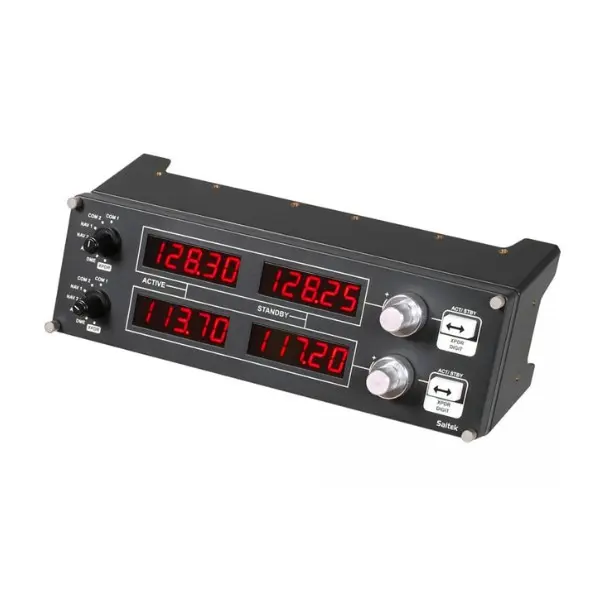
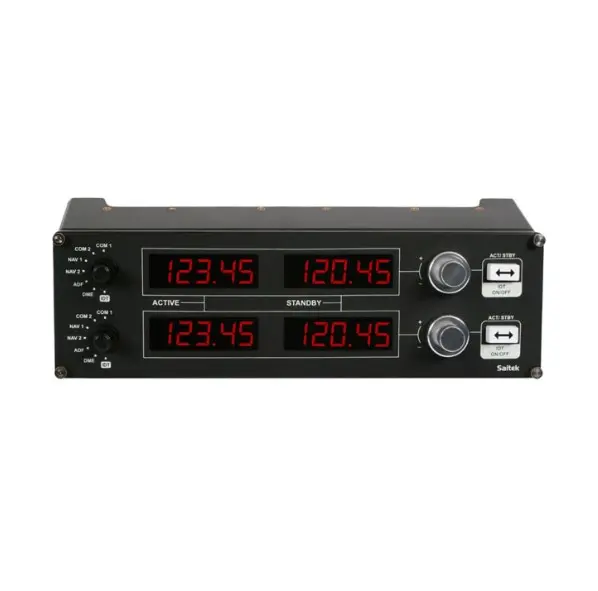
The Logitech G Saitek Pro Flight Radio Panel is a dedicated radio controller for desktop flight-simulation cockpit setups. Its four LED displays and physical controls provide direct access to common simulated communication and navigation functions, helping reduce reliance on on-screen radio controls.

Designed as part of a modular flight-simulation panel system, the Radio Panel can be arranged within a custom simulator cockpit configuration.

  • Four separate LED displays
  • Controls for simulated COM1/COM2, NAV1/NAV2, DME, ADF and transponder functions
  • Standby-frequency selection and transfer to active frequency
  • Twin concentric adjustment dials for incremental frequency selection
  • Suitable for desktop flight-simulation use

Manufacturer part number: 945-000029.

This product is a flight-simulation controller; it is not an aircraft radio or installed-avionics component.

Overview

Saitek's Pro Flight Radio Panel is a stack of four LED displays with controls to set a variety of communication or navigation functions. Each display works in real-time with FSX, X-Plane, and Prepar3D. One or more Radio Panels can easily integrate into the Saitek Pro Flight Simulator Cockpit or your own home cockpit setup. Gone are the days of using fussy onscreen controls for COM1/2, NAV1/2, DME, ADF, and XPDR functions.

    Incremental Frequency Adjustment

  • Seamlessly integrating into FSX, X-Plane*, and Prepar3D software, no longer do you have to zoom into your flight sim's onscreen controls to make modifications. And the process even works both ways, giving you the option to make real-time, incremental adjustments within the sim or on the Radio Panel. Change frequencies within your sim and the Panel will react accordingly. Change frequencies on the Panel and the sim will automatically and immediately reflect your selection.

Features

  • Works with Microsoft Flight Simulator X and 2004. Standby switch - set your standby frequencies and then set to active at the touch of a button.
  • Twin concentric adjustment dials adjust frequency units incrementally for quicker selection of your required frequency.
  • Multiple Radio Panels will allow simultaneous display of the various radio stack functions.


These products might also be of interest

Your Dynamic Snippet will be displayed here... This message is displayed because you did not provided both a filter and a template to use.