Skip to Content

Honeycomb Bravo Throttle Quadrant

https://www.roctexo.com/web/image/product.template/27698/image_1920?unique=492ad1c
Part numbers : RX1-13-23178 , HC003042 , 13-23178
Unit of Measure: EA

327.33 EUR / EA 327.33 EUR 327.33 € excl. VAT

327.33 EUR / EA excl. VAT

Not Available For Sale

This combination does not exist.

Availability
Up to 8 EA ready to ship on Thursday 2026-08-13
Order before 16:00 CET on Tuesday 2026-08-11
Up to 12 EA ready to ship on Monday 2026-08-17
Order before 16:00 CET on Tuesday 2026-08-11
28 EA available on request, fees apply
Special order from vendor stock.

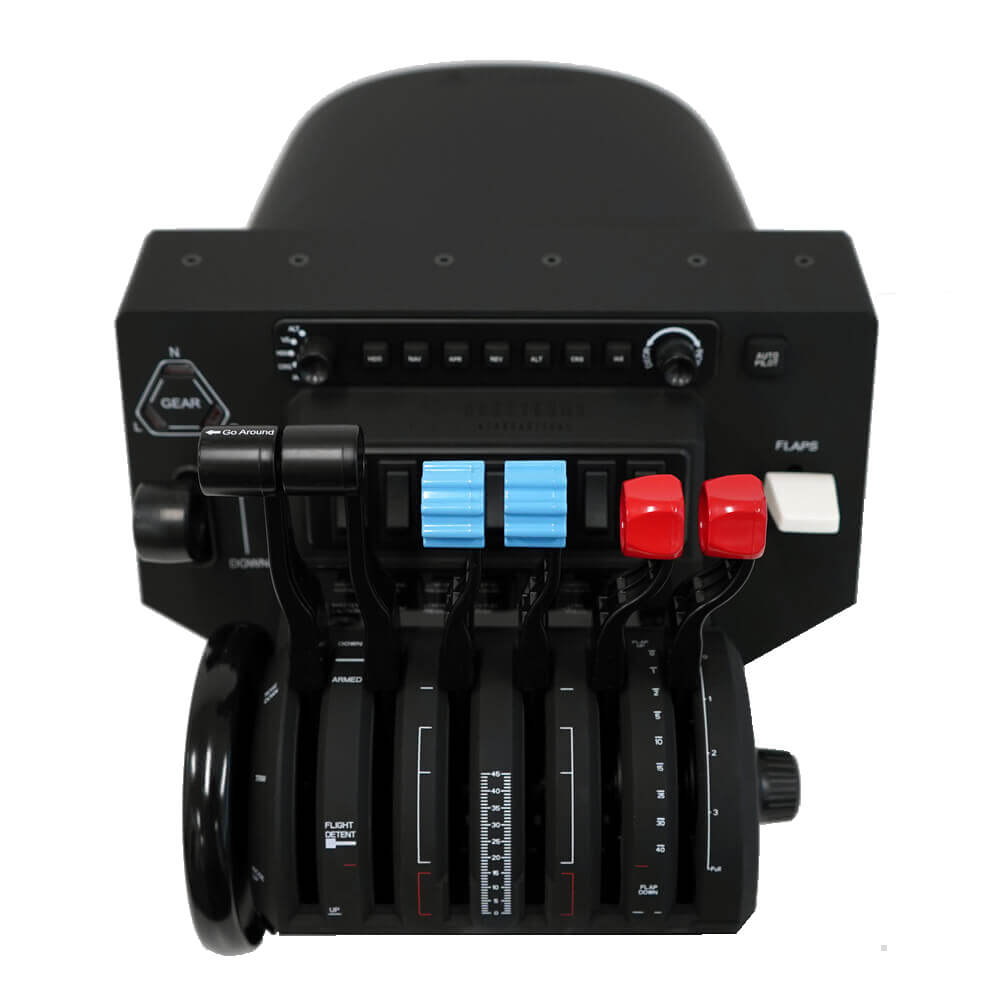
The Honeycomb Aeronautical Bravo Throttle Quadrant is an all-in-one USB flight-simulation cockpit control system with a configurable throttle arrangement for a range of general aviation and commercial flight-simulation scenarios.

Supplied general aviation and commercial lever sets support different control layouts, while the integrated cockpit controls provide a practical desktop simulation interface. The unit includes an autopilot panel with backlit buttons, an annunciator panel with 7 assignable switches and 14 indicator lights, a landing-gear lever with red/green LED status indication, a general aviation flap lever and a trim wheel.

  • Manufacturer part number: HC003042
  • USB-C to USB-A connection; cable included
  • Compatible with PC and Mac; Xbox use requires the Honeycomb Alpha XPC and Xbox Hub
  • Listed software compatibility: Microsoft Flight Simulator, X-Plane 11 and 12, and Prepar3D
  • Adjustable lever tension
  • Dual mounting solution supplied
  • Approximate dimensions: 40 × 13 × 28 cm

Contents include the Bravo Throttle Quadrant, dual mounting solution, general aviation and commercial levers, USB-C to USB-A cable and quick-start guide. Manufacturer support downloads include landing-gear LED driver software for Microsoft Flight Simulator 2020 and 2024.

This product is intended for flight-simulation use.

These products might also be of interest

Your Dynamic Snippet will be displayed here... This message is displayed because you did not provided both a filter and a template to use.